

animal identificationphoto ID appsAI
AI Called a Caracal a Lion: Identify Any Animal From a Photo
A wildlife AI mistook caracals for lions and scored 0% on 11 species. Here's how to take a photo an app can identify, and what to do when it's wrong.
The short version · 0:32
COMPUTER CALLED THIS CAT A LION. WHY?
This article in under a minute. Watch it here, then read on for the detail and sources.
AI-narrated, with motion added to some photos. Photo credits are with each image in the article.
In this guide
- Why did an AI think a caracal was a lion?
- How does an app identify an animal from a photo?
- Why is the best ID photo rarely the prettiest?
- How to take a photo an app can identify: 6 steps
- How accurate are animal identification apps?
- Can an app identify animals better than experts?
- What to do when the app gets the animal wrong
- How to identify animals with AnimalDex
The short answer
Quick answer
One Serengeti wildlife AI scored 0% on 11 species it had seen fewer than five training photos of, and apps like iNaturalist quietly reweight answers by where you are. To identify an animal from a photo, fill the frame with one sharp, well-lit animal, shoot 2–3 angles showing key features, share your location and check lookalikes.
Wait, what?
Why did an AI think a caracal was a lion?
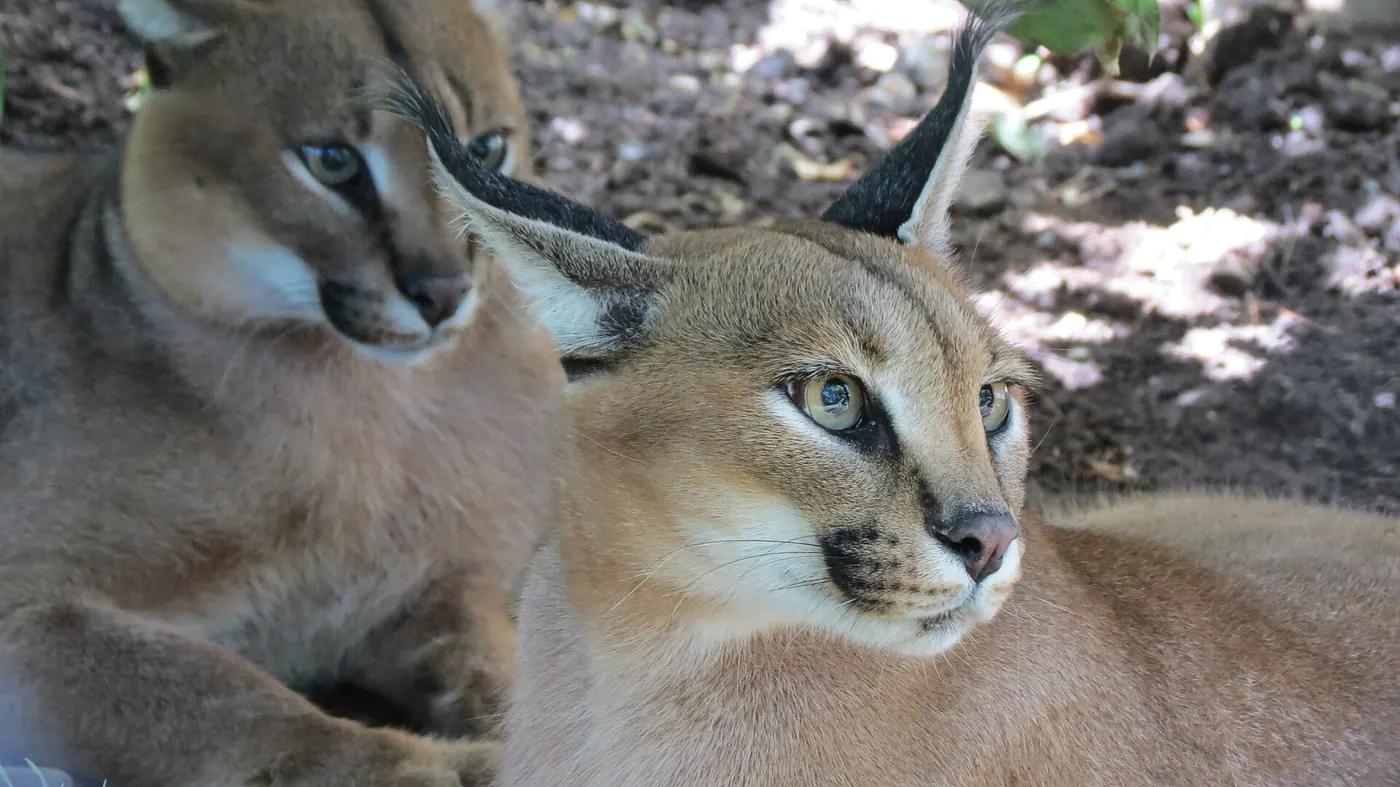
When a wildlife AI sorting camera-trap photos from the Serengeti got a caracal wrong, its most common wrong answer was lion. A caracal is a mid-sized wild cat. A lion is not.
The model made 24 mistakes on caracals in a 2024 study published in Citizen Science: Theory and Practice. The study's broader finding explains why: AI accuracy depends on the species, and it climbs with the number of training images the model has seen.
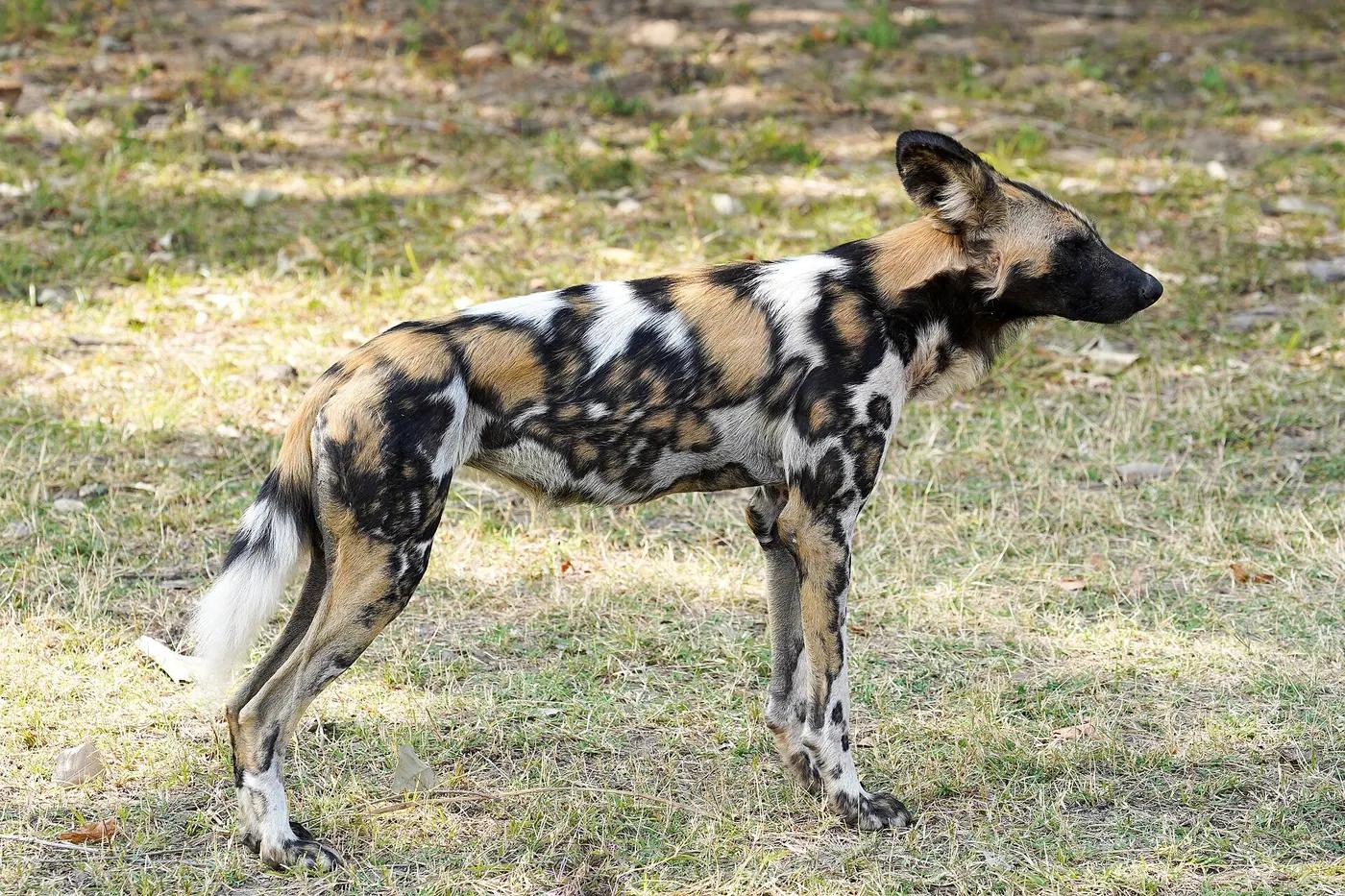
So the familiar animals sail through. Zebra, with 6,676 training images behind it, scored 93%. Thomson's gazelle reached 96% and wildebeest 94%. Then the floor drops away: bushpigs and African wild dogs managed only 40%, and the model did not rate a single image of either as high-confidence.
At the very bottom, 15 species had fewer than five training images each. Eleven of them scored 0%. Not low. Zero. The model hit 89.4% overall, which sounds great until you remember that the animals you most want to identify are often the rare ones.
That is the first rule of photo identification: an app can only answer with species it has learned, and it learns best from what it has seen most. In iNaturalist-style apps, that means whatever people photograph most. Everything else in this guide is about giving the app the easiest possible job.
When the AI got a caracal wrong, its most common answer was lion.
Under the hood
How does an app identify an animal from a photo?
An animal identifier is an image classifier: a model trained on a vast pile of photos that people have already labelled. iNaturalist, for example, trains on observation photos that carry species-level identifications. Show it something new and it returns the most likely species based on visual similarity. Its public demo lists the top 10.
The scale is hard to picture. Cornell Lab's Merlin trained its Photo ID model on photos selected from the 65 million bird photos in the Macaulay Library. For each training photo, a human expert birder identified every bird and drew a box around it. The finished model is a download of about 50 MB.
The gaps are still enormous. iNaturalist's model covers about 80,000 species, out of roughly 2,000,000 described species, most of which have no iNaturalist observations yet. At one point iNaturalist reported a new species crossing its 'enough data to include' threshold every 1.7 hours, so the list keeps growing. The long tail of life is just very long.
Here is the part most people miss: the app is not only looking at your photo. It is checking where you are. iNaturalist down-weights lookalikes that have not been seen near you, and it can push a species recorded nearby into its top 10 even when the image model cannot recognise that species yet. Merlin's Photo ID likewise asks when and where you saw the bird.
Trained on photos picked from a library of 65 million, Merlin's bird brain is about a 50 MB download.
The hook
Why is the best ID photo rarely the prettiest?
The best identification photo is rarely the prettiest one. That golden-hour silhouette, the heron as a grey dot on a glittering lake, the wide shot of the whole valley: lovely to post, close to useless to a classifier. iNaturalist's own observation tips single out distant trees and 'speck-like birds' as hard to identify.
Your phone is not helping. iNaturalist points out that smartphone cameras are designed mainly for photographing humans and landscapes, 'and, apparently, food'. Ask one for a sharp photo of an insect and you are working against its design.
Remember what the model is doing: matching patterns, not admiring composition. It wants the animal big, sharp and showing the features that separate it from its lookalikes, plus a location. Think mugshot, not magazine cover. Merlin's own prompts tell you to zoom in closer to the bird.
Even a perfect single shot may not be enough. iNaturalist warns that many organisms, especially insects, cannot be identified to species from one photo, which is why the method below asks for more than one.
Smartphone cameras are designed mainly for humans and landscapes, 'and, apparently, food'.
Field method
How to take a photo an app can identify: 6 steps
1. Stay back, then zoom. Never approach, handle or corner an animal for a better angle. It stresses the animal and puts you at risk. Fill the frame with zoom instead, and see our guide to wildlife photography without stressing animals for the details.
2. Get one animal in the frame. Merlin finds every bird in a photo, draws a box around each and scores each one separately. With several birds in shot, it can miss the bird you meant and name a different one.
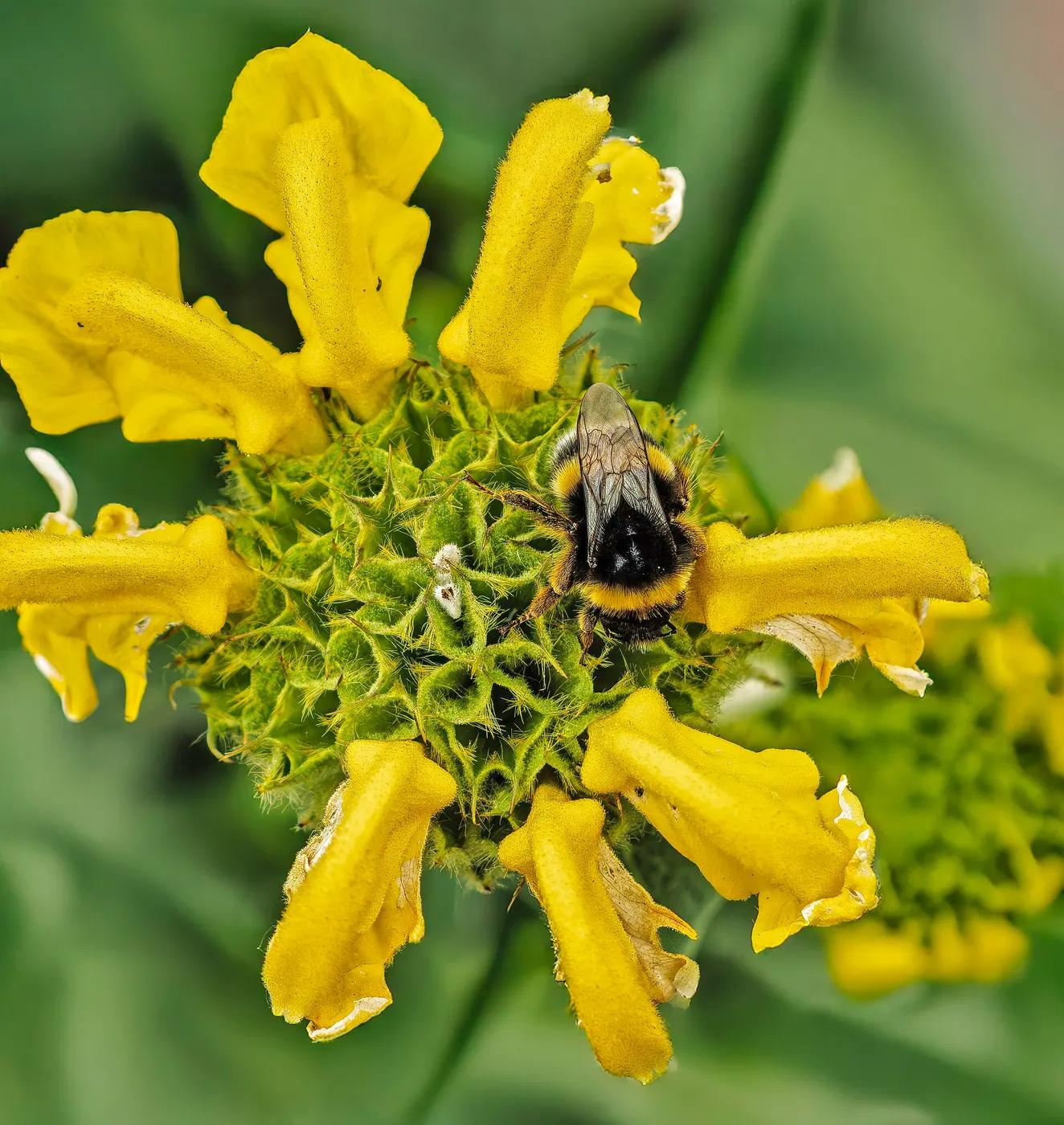
3. Show the features, from more than one side. iNaturalist suggests shooting from the top, bottom, side, front and back where you can, showing different features in each shot. For a bumblebee on a flower, a side view alongside the view from above can be the difference between a species name and a shrug.
4. Take two or three. iNaturalist's advice is that 2–3 photos per sighting is ideal. One is often not enough, especially for insects.
5. Fix light and focus before anything else. AnimalDex's help centre lists lighting, focus, angle, visible body features and how similar the animal is to related species as the things that drive accuracy. Only the last one is out of your hands.
6. Keep the where and when. Record what you saw, where and when, and note that the date is when you saw the animal, not when you posted it. Location is not decoration: it is how the model rules out lookalikes that do not live where you are standing.
Fill the frame with zoom, not with footsteps.
wildlife photography without stressing animalsbumblebee
Reality check
How accurate are animal identification apps?
Two insect apps got 78% of live bugs right, and 44% of dead ones. In a 2026 test reported in Antenna, the Royal Entomological Society's bulletin, Obsidentify and Insect.ID both identified 78% of live insects to species, then fell to 44% on dead specimens.
General-purpose tools struggled more with insects: Google Lens and Apple's Siri each managed 28% at species level overall. iNaturalist sat at 22% at species level, yet climbed to 67% at family level, which is still enough to send you to the right chapter of a field guide.
Now the twist. Point Google Lens at plants and the story flips. In a 2020 comparison by Bilyk and colleagues on 350 Ukrainian plants, cited in a 2025 study by Kuchařová and colleagues, Google Lens scored 92.6%, ahead of Flora Incognita at 71% and PlantNet at 55%. That was a test of 2020 versions on one country's flora, and apps change, so treat it as a snapshot. Still, the same tool can be excellent in one group and weak in another.
Confidence matters too. Willi and colleagues, writing in Methods in Ecology and Evolution in 2019, found that for camera-trap species with 1,000 to 10,000 training images, median accuracy was 77%, rising to 91% when only answers above a 95% confidence threshold were kept. The Antenna authors also point to location data as a way to lift accuracy.
| App | Live insects | Dead insects | Overall (species level) |
|---|---|---|---|
| Obsidentify | 78% | 44% | 61% |
| Insect.ID | 78% | 44% | 61% |
| Google Lens | 33% | 22% | 28% |
| Apple Siri | 22% | 33% | 28% |
| iNaturalist | 22% | 22% | 22% (67% at family level) |
Two insect apps got 78% of live bugs right, and 44% of dead ones.
Humans vs machines
Can an app identify animals better than experts?
In a 2022 study in Scientific Reports, biologists shown photos of bees named the species correctly only 53.7% of the time. Biologists, note, not necessarily bee specialists, and the headline figure on its own does not tell you how many species they faced or how sharp the photos were.
What it does show is the problem at the heart of this guide. Insects are among the hardest animals to name from a single photo, and when the photo hides the features that matter, trained eyes struggle too.
Crowds are a different story. When citizen scientists classified Serengeti camera-trap images, their aggregated answers reached 96.6% accuracy compared with experts, according to work by Swanson and colleagues in 2016, cited by Willi's team. Many imperfect eyes, pooled, turn out to be very hard to beat.
Machines are coming up fast. The 2022 Scientific Reports authors predict that deep neural networks will identify species more accurately than most citizen-science participants. That is a forecast, not a finding.
None of these numbers is like-for-like: different animals, different photos, different tasks. The Serengeti caracal study put its conclusion in its title: human supervision is key to accurate AI-assisted identification. The best team is still you plus the app.
Shown photos of bees, biologists named the species only 53.7% of the time.
Plan B
What to do when the app gets the animal wrong
Read the confidence score as a probability, not a verdict. In the Serengeti study, the species model was 97.2% accurate on high-confidence images. Brilliant, and still not 100%. AnimalDex's help centre puts it plainly: the confidence value shows how certain the analysis is, but no AI identification is perfect.
Treat a low score as a starting point. Rare, juvenile, hybrid and visually similar species are all harder, so check several traits, compare the lookalikes and ask whether that animal actually lives where you are. Often the fix is simply a better photo: more light, more of the animal in view.
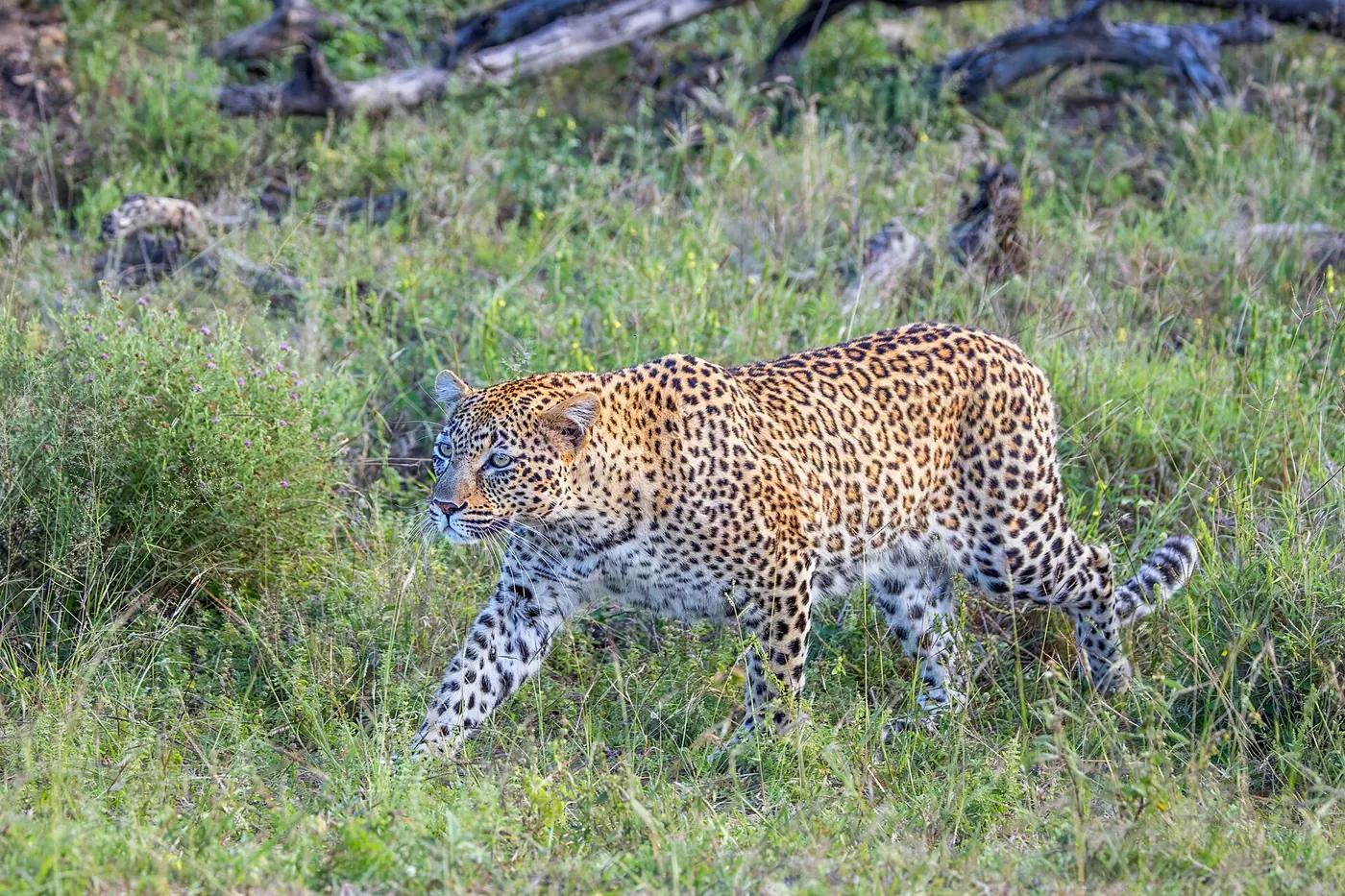
Our guide on how to identify animals in the wild goes further, and telling a cheetah from a leopard makes a good warm-up: our cheetah vs leopard guide lists seven easy ways.
One hard rule: never use an app to decide whether a snake or spider is safe to approach or handle. AnimalDex's help centre says it must not be used for safety-critical wildlife, medical, handling or edibility decisions. Keep a safe distance and follow local guidance.
Even high-confidence answers were right 97.2% of the time. Brilliant, and still not 100%.
how to identify animals in the wildcheetah vs leopard
Your turn
How to identify animals with AnimalDex
AnimalDex lets you capture the real animal with your phone camera and add it to your collection, and it refuses gallery uploads on purpose: every entry has to be an in-the-moment sighting, which supports authenticity checks. For an old photo in your camera roll, Merlin's Photo ID and Google Lens both accept uploads. For a moving animal, take a supported loop instead of a still: AnimalDex samples frames across the clip and takes a consensus, the same logic as shooting two or three photos.
Confirmed sightings become cards with habitat, rarity, behaviour and lookalike context, and the capture animals app page explains how collections work. For somewhere to point your camera, our location guides run from the Masai Mara to Bali, and our piece on how to keep track of every animal you've seen covers the logbook side.
No camera roll, no shortcuts: every card is a sighting that actually happened.
capture animals applocation guidesMasai Marakeep track of every animal you've seen
Quick questions
Short answers to common questions readers ask on this topic.
- Can I identify an animal from a photo for free?
- AnimalDex is free to use with a credit system for captures, and there is no daily capture limit. Credits are earned through active use and stay inside the app. For photos already in your gallery, tools such as Merlin's Photo ID and Google Lens accept uploaded images.
- How accurate are animal identification apps?
- It depends on the animal group and how many training photos exist. A Serengeti camera-trap model reached 89.4% overall and 97.2% on high-confidence images, but scored 0% on 11 species it had barely seen. Insect apps in a 2026 test ranged from 22% to 78% at species level on live insects.
- Can I upload a photo from my gallery to AnimalDex?
- No. AnimalDex uses its in-app camera for captures, which keeps each collection entry tied to an in-the-moment sighting and supports authenticity checks. Uploaded or imported photos never count as captures.
- Does it work for insects, birds and pets?
- AnimalDex covers wild animals including birds, reptiles and insects, plus pets with breed-aware context, zoo animals and farm animals. Plants are outside its focus. Insects are the hardest group for most apps, so shoot two or three angles.
- Does animal identification work offline?
- AnimalDex needs an internet connection to scan, but your collection is stored offline. AnimalDex's own comparison page says Seek and Merlin have strong offline use.
- Can an app tell me if a snake or spider is dangerous?
- No app should make that call for you. AnimalDex's help centre says it must not be used for safety-critical wildlife, medical, handling or edibility decisions, and even high-confidence AI answers are not 100% right. Keep a safe distance and follow local guidance.
Animals mentioned
Jump from this article into the species pages behind the examples, systems notes, and field-guide references.
Sources and further reading
- Citizen Science: Theory and Practice: Human Supervision is Key to Achieving Accurate AI-assisted Wildlife Identifications in Camera Trap Images
- Methods in Ecology and Evolution: Identifying animal species in camera trap images using deep learning and citizen science
- Scientific Reports: Deep learning increases the availability of organism photographs taken by citizens in citizen science programs
- Royal Entomological Society: Antenna 50(1), AI-powered species identification
- Natural Sciences Education: Evaluating the accuracy of the Seek app for conifer identification
- iNaturalist: Computer Vision Explorations
- iNaturalist: Observation Tips – what counts? what doesn't?
- iNaturalist: Multiple photos per observation
- eBird: Merlin's Photo ID has a new update
- eBird Help Center: Merlin Photo ID in Manage Media
Answer guides related to this topic
If you want direct comparisons and clear recommendations, continue with these answer-focused pages.
Animal Identifier
Identify animals from photos with AI-assisted scanning and trait verification. AnimalDex turns each identification into a collectible entry with field-guide context for wildlife, pets, birds, reptiles, and insects.
Talk to Animals
AnimalDex lets you talk to any animal: scan or pick a species and it answers as itself, from its real biology, behaviour and survival strategy. Free to try, in the app and on every animal page.
Identify Birds
Learn how AnimalDex helps identify birds with AI scanning, shape, plumage, behavior, habitat clues, and collectible bird sighting records.